
This Week, I Made ...
Week 004 | GenAI experiment around control and style

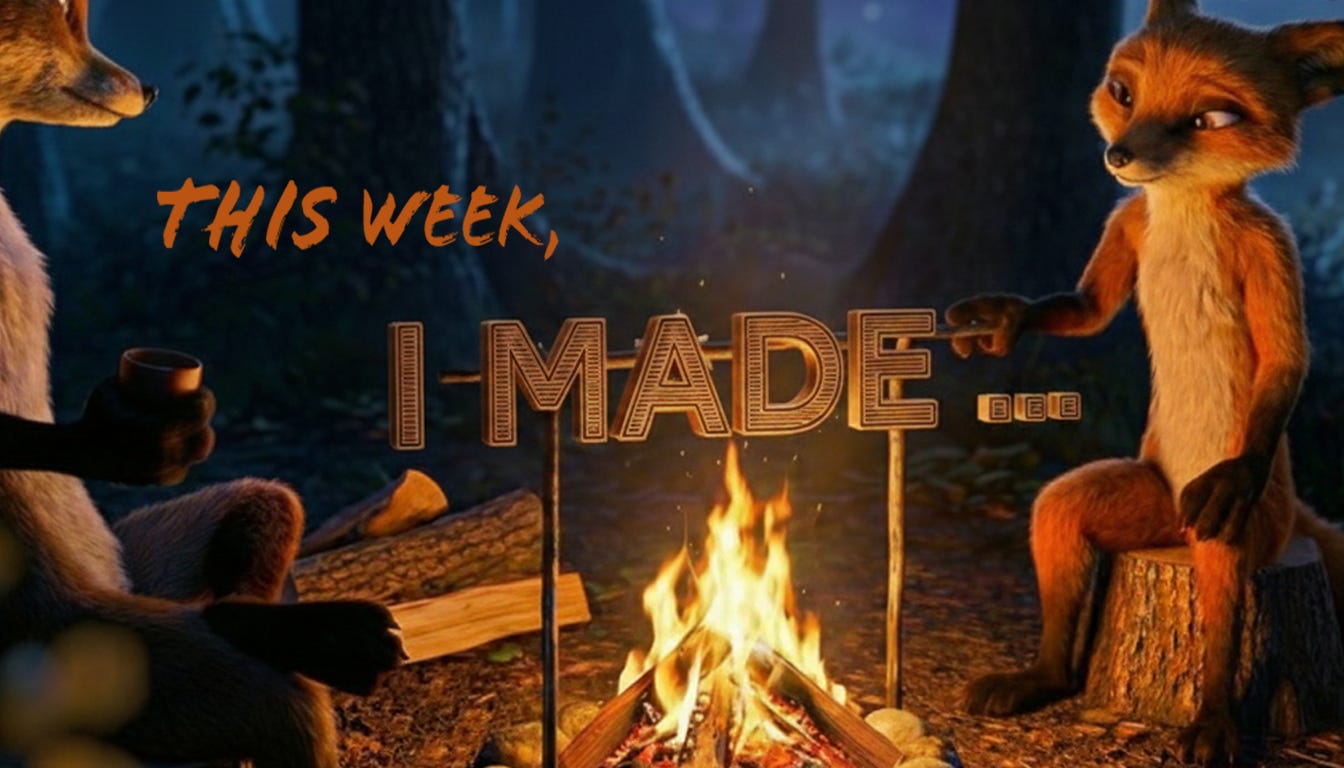
Even though I’m still deep in wire work, this week I took a short break to do a fast digital exploration. The digital space is where I live professionally, and curiosity keeps pulling me back there.
Lately, I’ve been really interested in the idea of control with GenAI — specifically, whether you can take animation that’s already been created by an animator (not AI-generated), and apply a curated style or lighting frame on top of it without breaking the motion.
The question I wanted to test was simple:
Can GenAI take a style frame — something designed and signed off by a creative — and translate that across an animation done by an animator (not genai) while strictly adhering to the original motion? No hallucinating. No reinterpretation. Just approved style, layered on top of control.
So I time-boxed a one-evening experiment.
I used existing animations from our Academy of Animated Art Lighting challenges. These are scenes where students receive a pre-animated shot and focus purely on lighting to tell the mood and story.
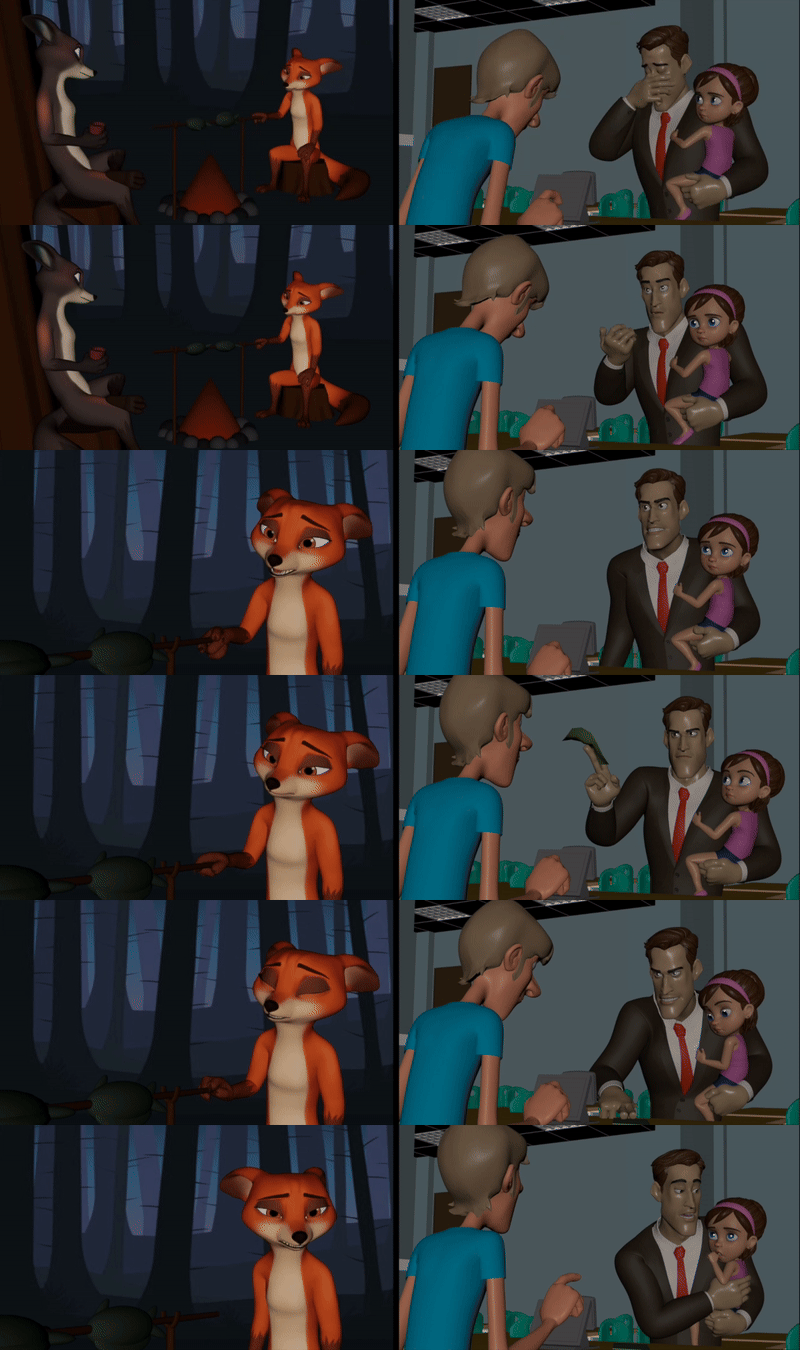
For this test, I pulled two CGRiff scenes (above) — Flowers (on the left), by Courtney Oberbeck, and the current challenge (on right), by Asha Bishi — and started experimenting.
I began with a simple style frame to see what was possible. While looking into different approaches, EbSynth came up as the closest match to what I was trying to do, so I tested it.
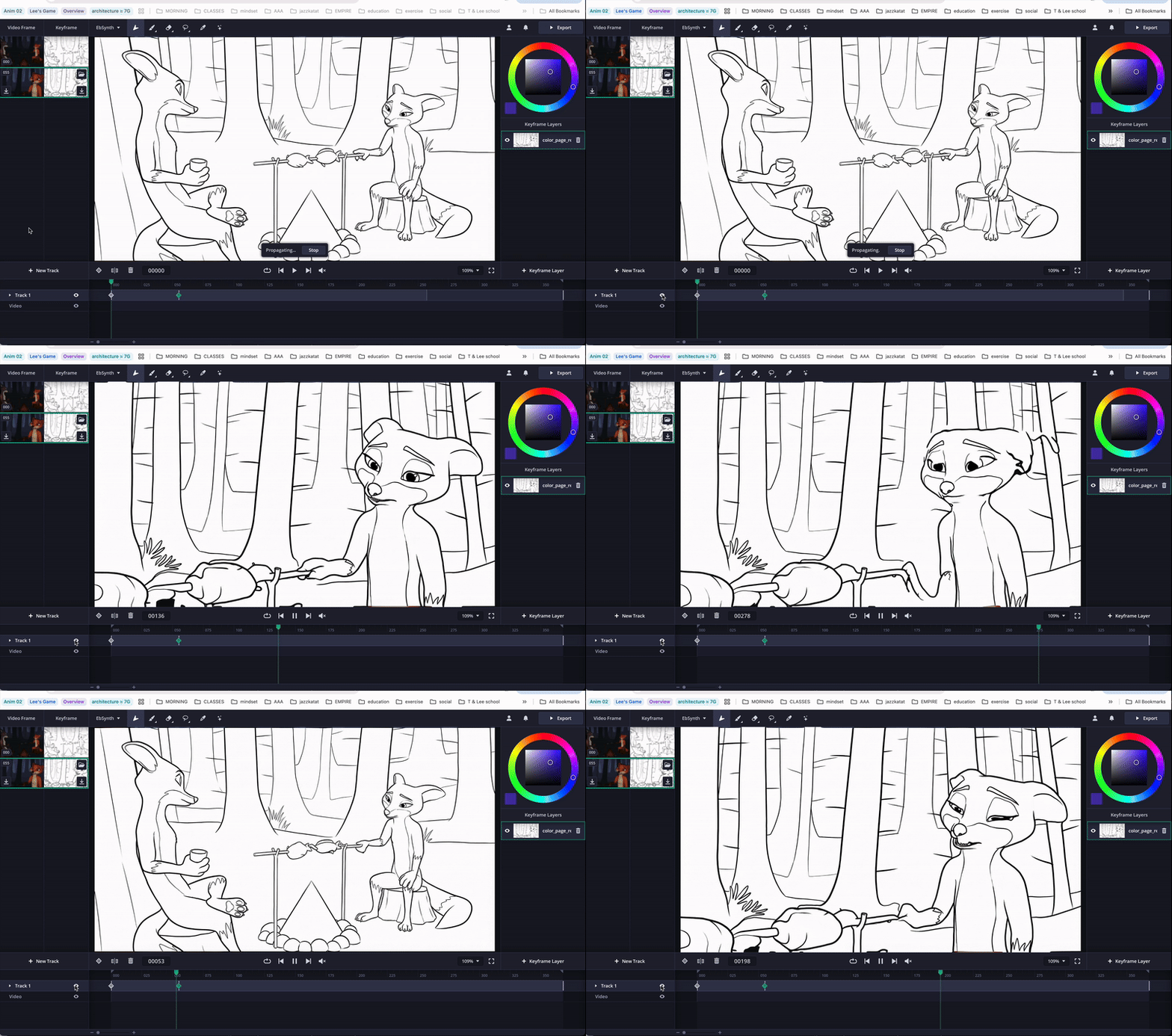
Above is testing in the EbSynth interface
At first, I was honestly impressed. The motion in the first shot mostly held (the second shot, not so much out of the box). But once I started looking closely, things began to break.
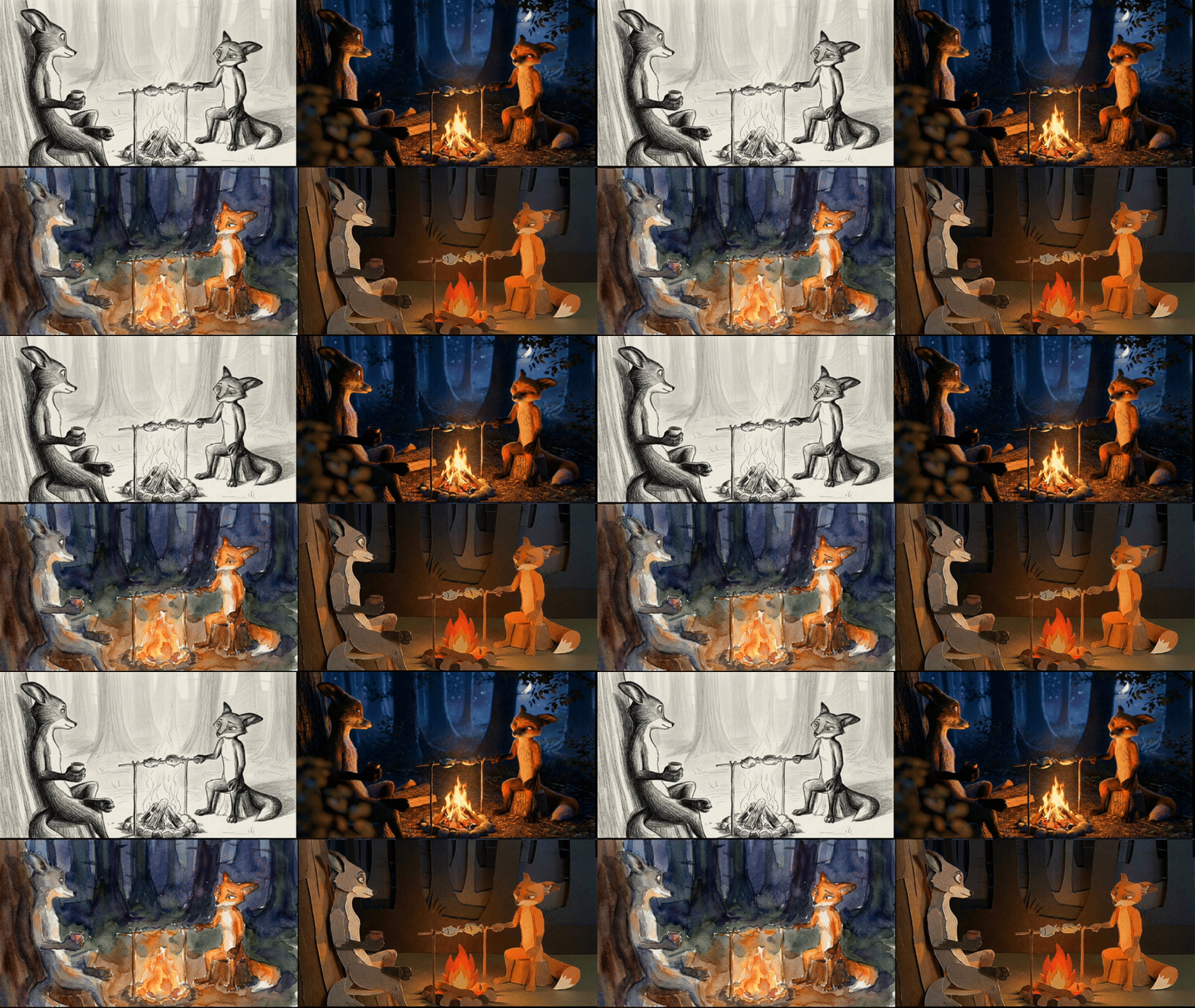
Morphing crept in. Foreground and background elements started sliding. Rotations were especially problematic.
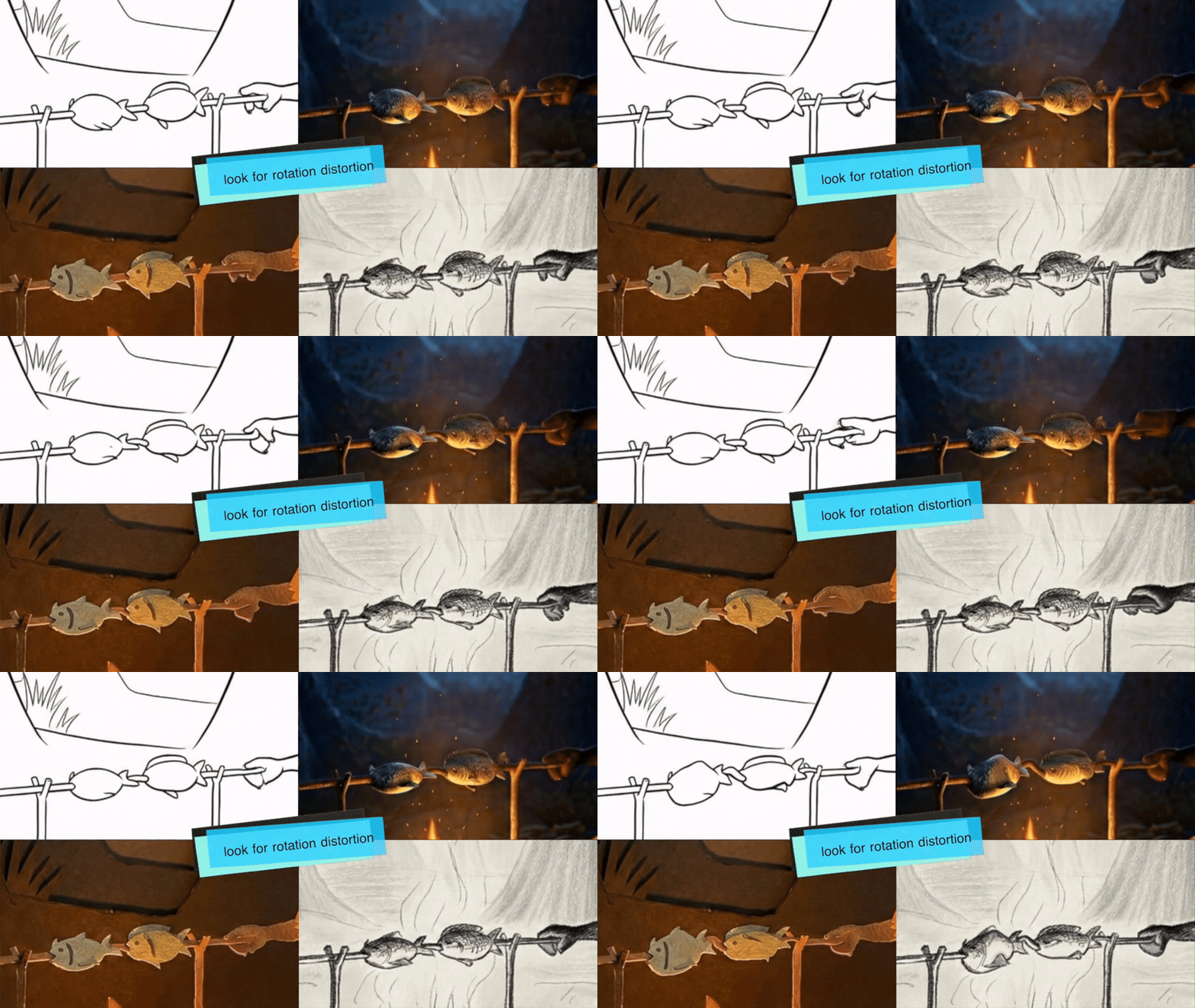
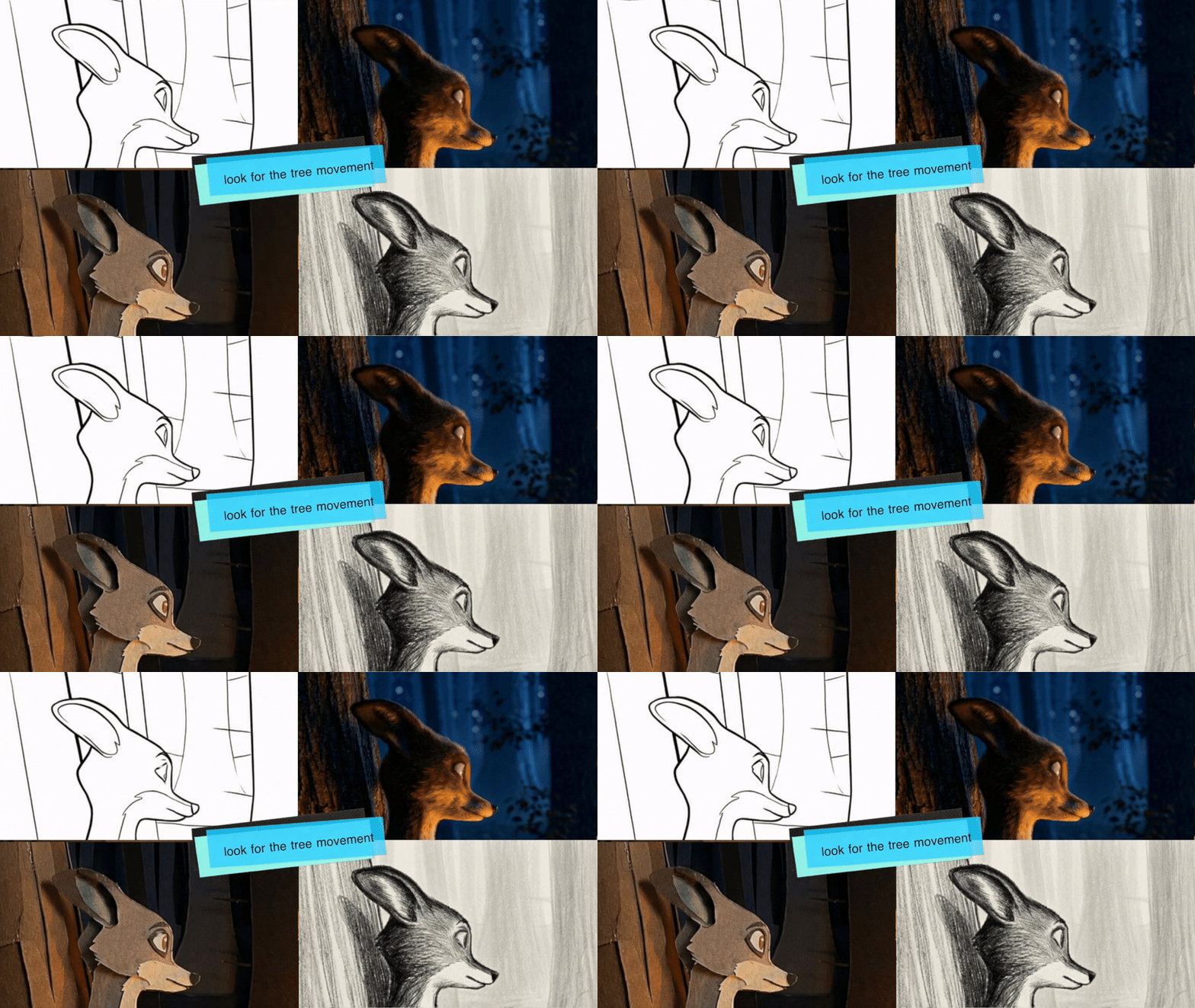
Do you see the it? It might seem subtle to some, but this is a deal breaker for anyone in the industry.
To really see what was happening, I tested with a line-rendered version of the other animation. That made the issues very clear. When rotation and frankly when big or small movements were involved, it struggled. Adding more keyframes helped a bit, but needing that many keyframes kind of defeats the point of what I was hoping this would solve.
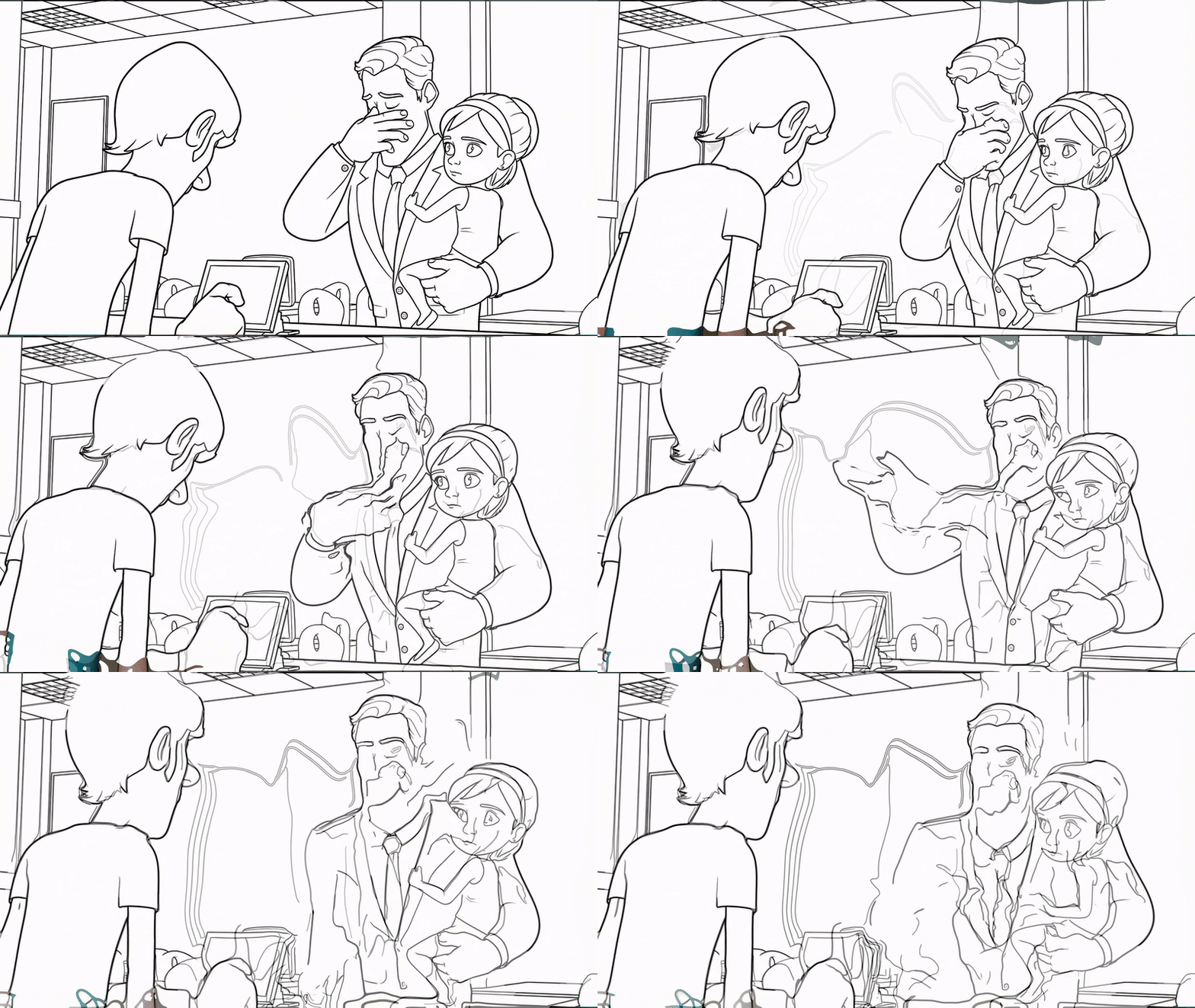
Not so subtle anymore, is it? ;) This test is using outlines style and 3 keyframes (first, middle, last)
Out of the box, this isn’t the solution I was looking for.
What it reinforced for me is that if you need true control — especially when animation and lighting both matter — traditional 3D workflows are still incredibly relevant. GenAI can be great when you’re okay with letting go and seeing what you get. But when precision matters, it’s not quite there yet.
That said, this definitely sparked more curiosity. I’m especially interested in how style frames might be used for lighting communication — even if they’re not the final output.
One funny moment along the way: I tried inpainting a style frame and prompted “add a blue rim.” I meant a rim light. The AI added a literal wheel with a blue rim. I laughed out loud—a good reminder that AI only knows exactly what you say — and sometimes not even that.
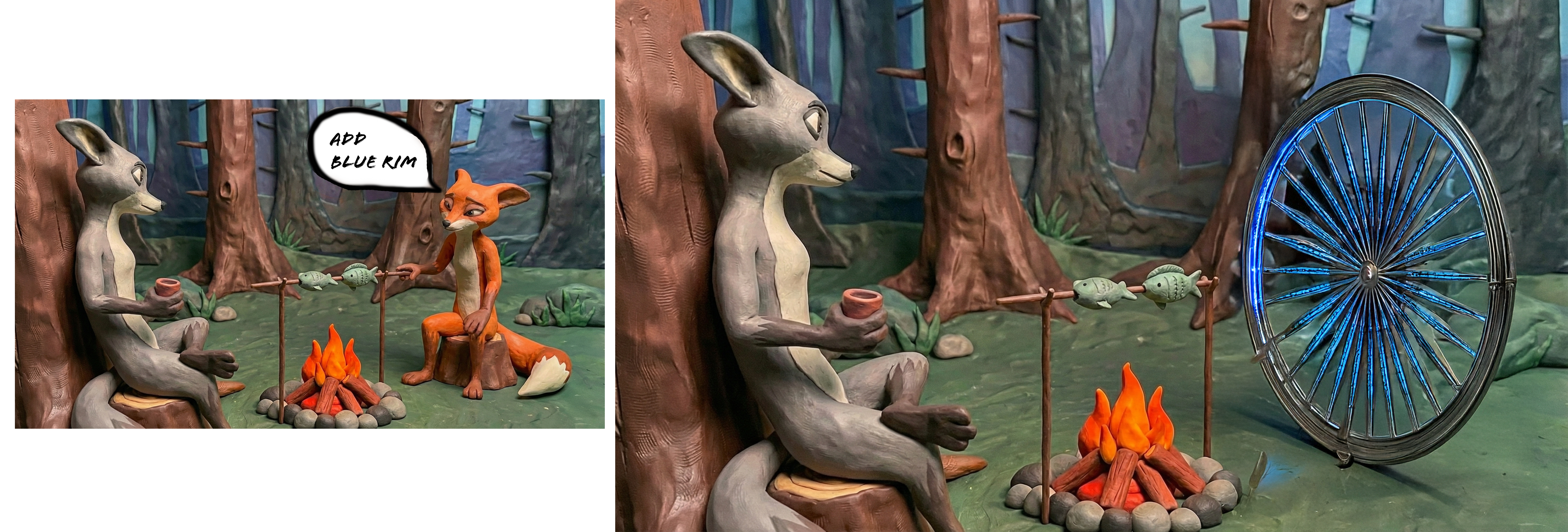
So this week’s making was really about benchmarking — poking at the edges and getting a better sense of what works and what doesn’t right now. I’ll keep playing with it and probably add a few more steps to see how far I can push it. One idea is to separate the foreground from the background, run them on their own, and composite everything back together in post. Even then, though, it doesn’t fully solve the main issue: simple movement and rotation still don’t translate cleanly yet.
This week, I made…
P.S. Want to light the shots above (or others)? You can find the full 3D files and more here. Maybe this week, you’ll make…